6 Free Tools Every Digital Agency Should Know
I have been in the digital marketing industry for over 10 years right here in South Africa. If there is one thing I have learned in the decade, it is that running a profitable agency is a constant balancing act. You want to deliver incredible work for your clients. At the same time, you have to watch your overhead costs like a hawk.
This guide highlights six useful tools and free tiers for digital agencies and resellers. Some are open source, while others are proprietary products with free plans. Managing software costs helps protect margins, but check the licensing and usage limits for client work.
Graphic Design: Speed and Power
Visual content is the lifeblood of digital marketing. You need a setup that allows for both rapid execution on daily tasks and serious power for complex campaigns.
1. Canva (Free Tier)
Agencies die when they cannot execute fast. You do not always need to open a heavy desktop program just to resize a Facebook banner or test a layout concept.
- Highlight Canva on its free tier for rapid social media graphics and client mockups.
- The free tier offers useful templates and design features, but some assets, branding and collaboration options require paid plans.
- Your account managers can jump in, make a quick text edit, and send it for client approval in minutes.
It keeps the work flowing without adding another software license to your monthly expenses. Check out the free options to speed up your workflow over at the Canva website.

2. GIMP
Eventually, Canva will hit a ceiling. Your team will need to do some serious heavy lifting for major branding projects. You do not have to pay a massive premium for this capability.
- Introduce GIMP as the powerhouse, open-source alternative to Photoshop for advanced photo manipulation and layering.
- It handles complex image masking, detailed retouching, and custom graphic creation perfectly.
- It might take your graphic designer a few days to adjust to the new layout, but they will have all the power of premium software at absolutely zero cost.
Download the latest build directly from the official GIMP project and test it out on your next big campaign.

Productivity & Admin: Keep Operations Lean
Admin work does not pay the bills directly, but it definitely keeps the lights on. You need a smart way to handle documents without bleeding cash.
3. Microsoft Office Browser Version
It is very easy to fall into the trap of buying a full desktop software package for every new staff member you hire. I always remind resellers that they do not need expensive licenses for documents.
- Point them to the MS Office Browser Version instead.
- Free web-based Word and Excel are available for eligible personal accounts, with restrictions compared with paid Microsoft 365 plans. Check business licensing and team requirements.
- Your team can draft proposals, track campaign metrics, and collaborate on spreadsheets simultaneously right from their web browsers.
This single change can save a growing agency thousands of Rands every single year. You can set up your team through the Microsoft 365 free web portal.

Document Management: The Hidden Gem
Getting client sign-off is a critical daily task. You never want software barriers holding up a signed contract or a project approval.
4. Firefox Desktop Browser
Let me explain a hidden gem right under our noses. Most agencies pay a hefty monthly fee for premium PDF software just to add text or a digital signature to a document. Eish, that is a massive waste of money.
- The desktop version of the Firefox Browser has a robust, built-in PDF editor.
- Firefox can help annotate PDFs and add text or a drawn signature. Check the legal requirements of important documents before treating a basic PDF signature as sufficient.
- You can draw your signature, add text boxes, and save the file instantly without any annoying watermarks.
This tool is fast, effective, and completely free to use for commercial purposes. Grab the browser from the Mozilla Foundation if you do not already have it installed on your office machines.

AI Content & Ideation: Your Extra Brainpower
Content creation takes a massive amount of time. Sometimes the creative juices just stop flowing, and writer’s block sets in, which ultimately costs you money.
5. ChatGPT, Claude, and Bing Image Creator
You can speed up your content workflow dramatically by treating artificial intelligence as a free brainstorming partner.
- Recommend tools like ChatGPT or Claude for copy, and Bing Image Creator for visual concepts.
- AI tools can help brainstorm campaigns, organise blog ideas and draft newsletters. Verify factual claims and avoid sharing confidential client information without suitable safeguards.
The real secret to AI is how you speak to it. You have to be highly specific to get usable results. For very natural-sounding text generation, I highly recommend exploring Claude by Anthropic.
If you want to train your team to get better results, provide this Prompt Example to them: “Act as a digital marketing expert. Write a 3-part social media content calendar for a local business launching their new website. Focus the messaging on mobile responsiveness and fast loading speeds.”

Content Planning: Map Out Your Success
When you are managing multiple client accounts, things get chaotic very fast. A visual plan keeps everyone accountable and ensures deadlines are met.
6. Meta Business Suite or Trello
Flying blind will cost you clients. Content gets lost in endless email chains, and approvals slip through the cracks.
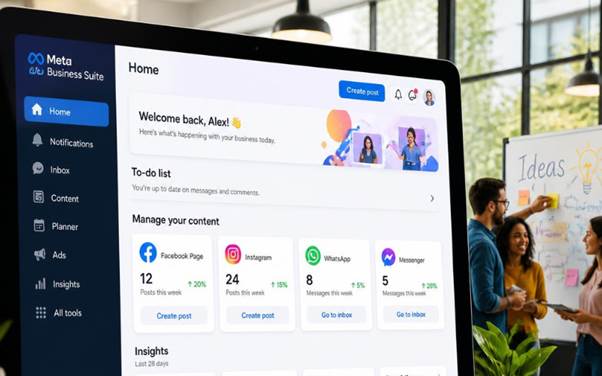
- Meta Business Suite helps manage Facebook and Instagram activity, while Trello can organise tasks and approvals. These are different proprietary products with plan limits.
- Trello uses a simple visual board layout. You can drag and drop task cards from a pending list into an approved list instantly.
- It is a good way to see exactly where a project is sitting at any given time.
This simple visual structure stops confusion and keeps your copywriters and designers perfectly aligned. You can set up your first free workspace over at Trello.
TL;DR — Free Tools and Free Tiers
Work With The Experts At Web Force
Reducing unnecessary subscriptions can help keep an agency lean. The six examples include open-source software and proprietary free tiers, so review each tool’s limitations before using it commercially.
Agencies and resellers may also need reliable technical partners. Web Force provides web hosting and website development services that can complement these tools.
We handle the complex backend work so you can focus entirely on managing your clients, building relationships, and growing your revenue. Working with us means you get the benefits of an entire technical team without the massive overhead costs. If you are ready to take your digital agency to the next level, let us chat about how our services benefit your business model. Visit our website to explore our full range of digital reseller and web services at Web Force today. Let us grow your agency the smart way.